Agents and terminals
Ctrl+Shift+N opens an installed agent. Tutti looks for them in the PATH, in your login shell’s one and in the usual folders, so it works even if you launch the app from the menu. Ctrl+Shift+T opens a shell in the project as a separate section, with several terminals in a list on the right.
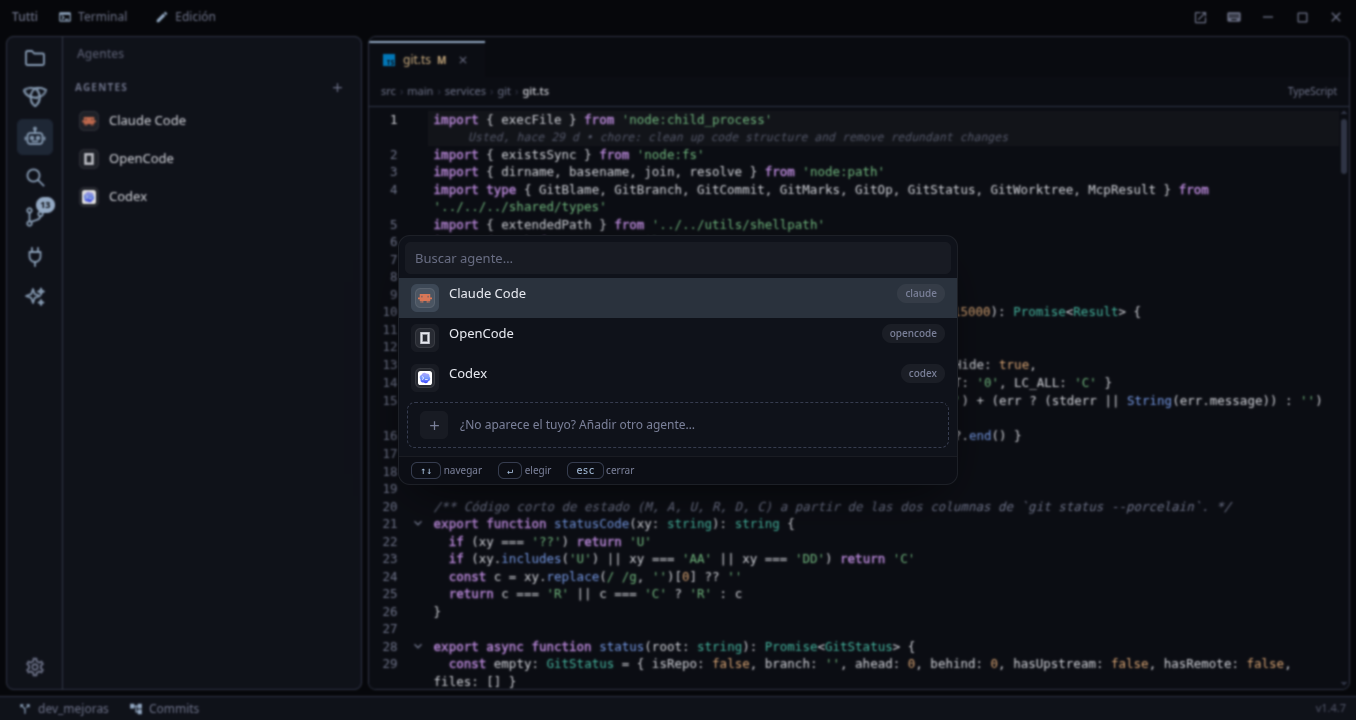
Agents it detects
Claude Code, OpenCode, Codex, Gemini CLI, Aider, Cursor, Goose, Amp, Qwen Code, Copilot CLI, Droid, Kimi, Crush, Kilo, Cline, Plandex, Auggie, Forge, Mistral Vibe and Warp, each with its logo. Antigravity (agy) is added by hand.
Add your own
In Not listed? Add another agent… you type a name and the command (with arguments if needed), or pick one of the executables the app finds in your bin folders. Custom ones without a logo get a badge generated from their initial. They are removed from the agents list.
Terminals
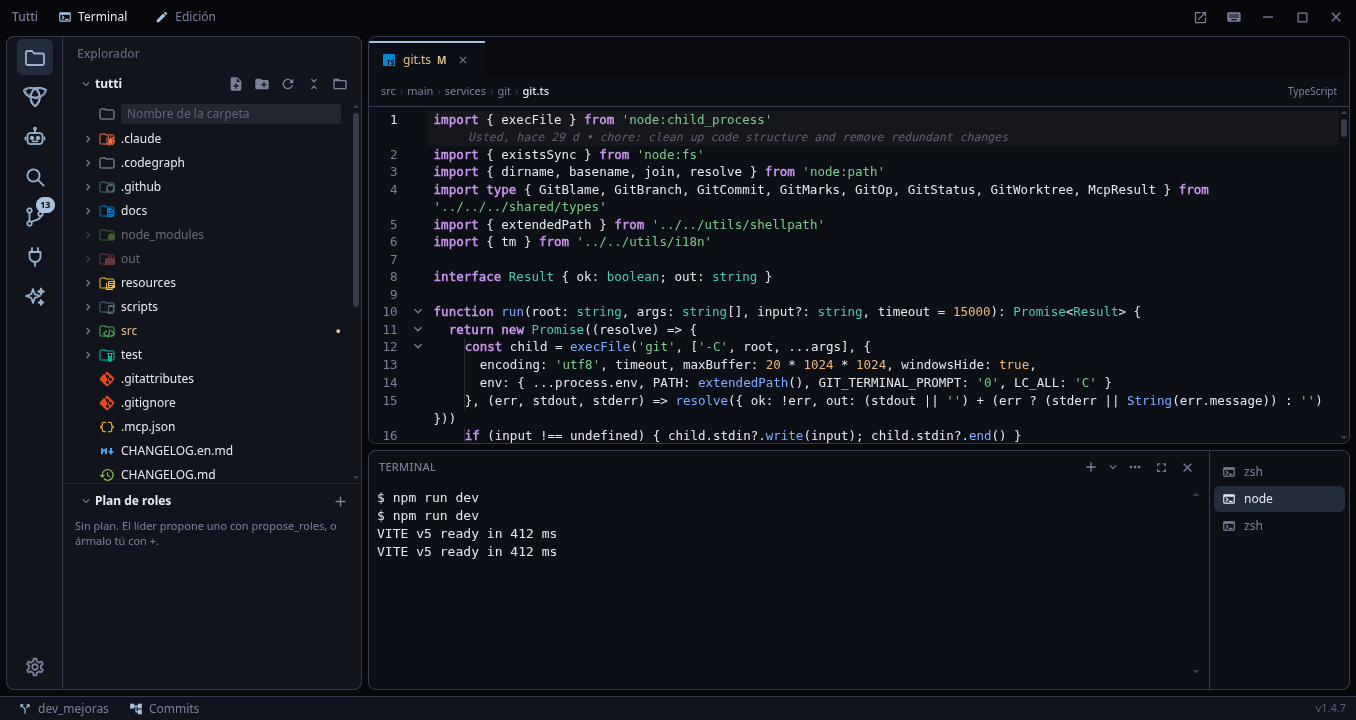
- Several terminals at once, in a list on the right of the panel; the panel can be maximized and closed as a whole.
- If a process does not start or ends, a notice explains it (command not found, signal, exit code).
- With several agents, they are laid out in a grid and
Ctrl+Page Down/Page Upjumps between them.
Copy and paste
| Shortcut | What it does |
|---|---|
Ctrl+C |
Copies if text is selected; otherwise it is still “interrupt” |
Ctrl+Shift+C |
Always copies |
Ctrl+V, Ctrl+Shift+V, Shift+Insert |
Paste the clipboard text (multi-line included) |
| Right click | Menu with Copy, Paste and Select all |
If the clipboard has no text (a screenshot, for example), Ctrl+V is left to the agent, which reads it itself.
Several windows
The title bar button (or New empty window in the launcher menu, right-clicking the icon on Linux) opens another window with no project. It is another process, with its own agents, its own task server and its own project. Settings are shared, so the last thing you open in any window is what reopens at startup. The new window opens on the monitor where the cursor is.