Git
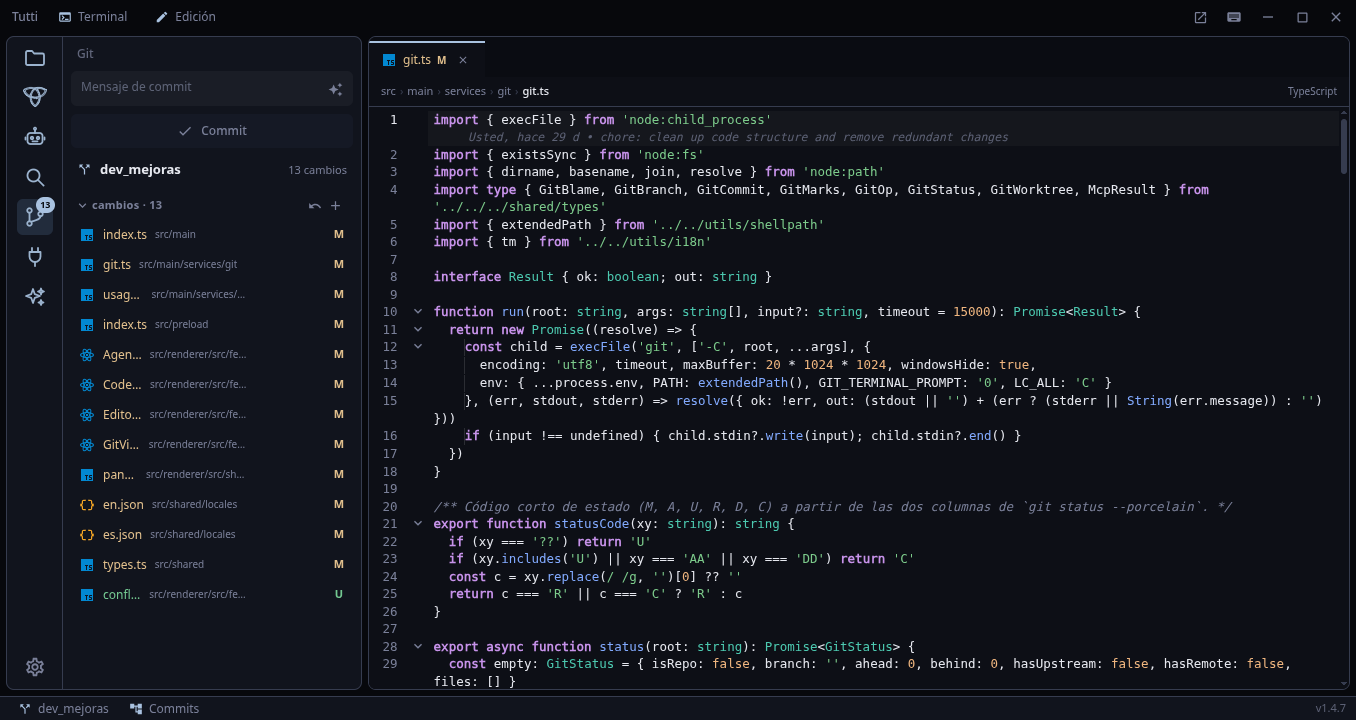
Changes and commit
- Changes with stage / unstage, and staged and changes sections that fold. Clicking a file opens its comparison.
- Discard changes: the ↶ button on each file under changes (or the one in the header, for all of them) undoes unstaged changes, asking for confirmation. New files go to the trash and can be recovered; anything already staged is left alone.
- AI commit message. The ✨ in the field asks an installed agent for a Conventional Commits message based on what you have staged, and leaves it for you to review. You can see which agent writes it. If none answers, it is built with simple rules over the touched files.
- One button, one step per press. With a message it does Commit; afterwards it becomes Push or, if the remote has new changes, Pull (fast-forward only, it never merges blindly), with a progress animation. Without a remote it only offers commit. It also works in a freshly created repository with no commits.
Branches
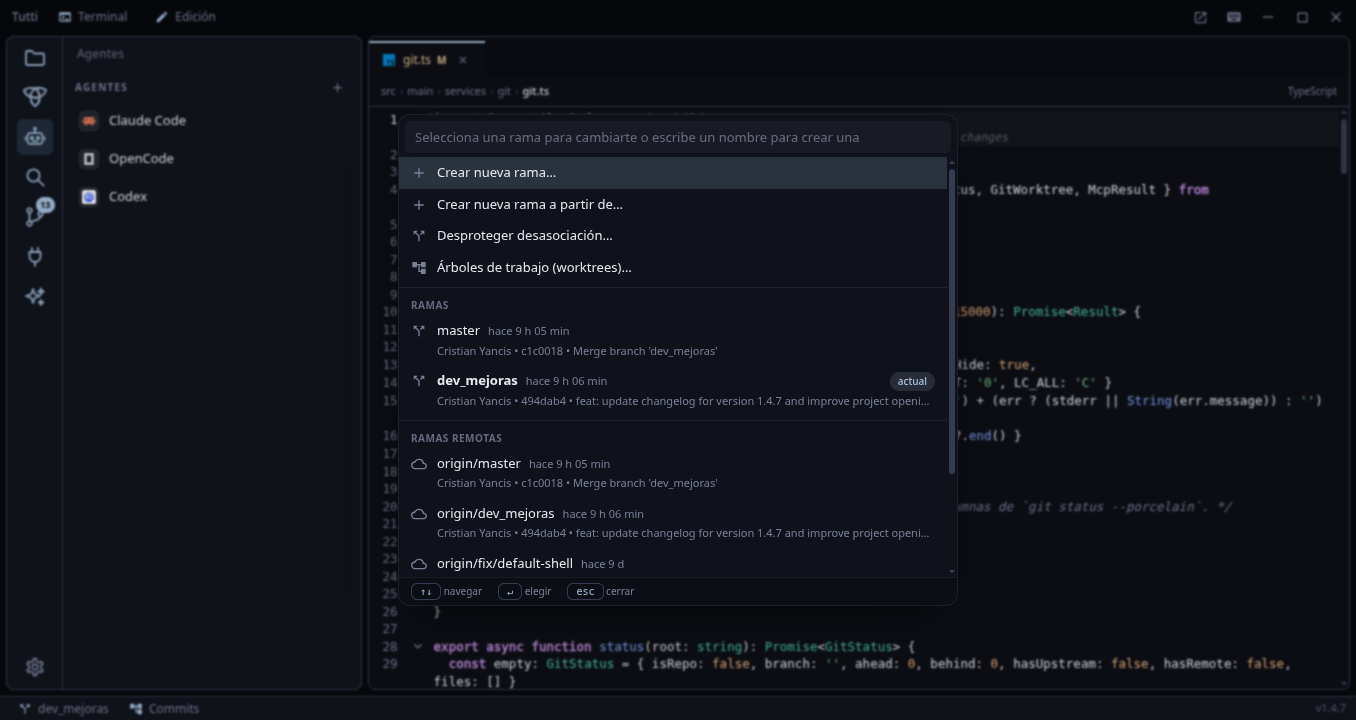
Ctrl+Shift+G opens Git; the chip with the branch name in the title bar opens the picker: a VS Code-style panel with the date and last commit of each branch, search, switching branch (local or remote), creating a new one (from the current or from… another) and checkout detached to go to a branch or commit without creating a branch.
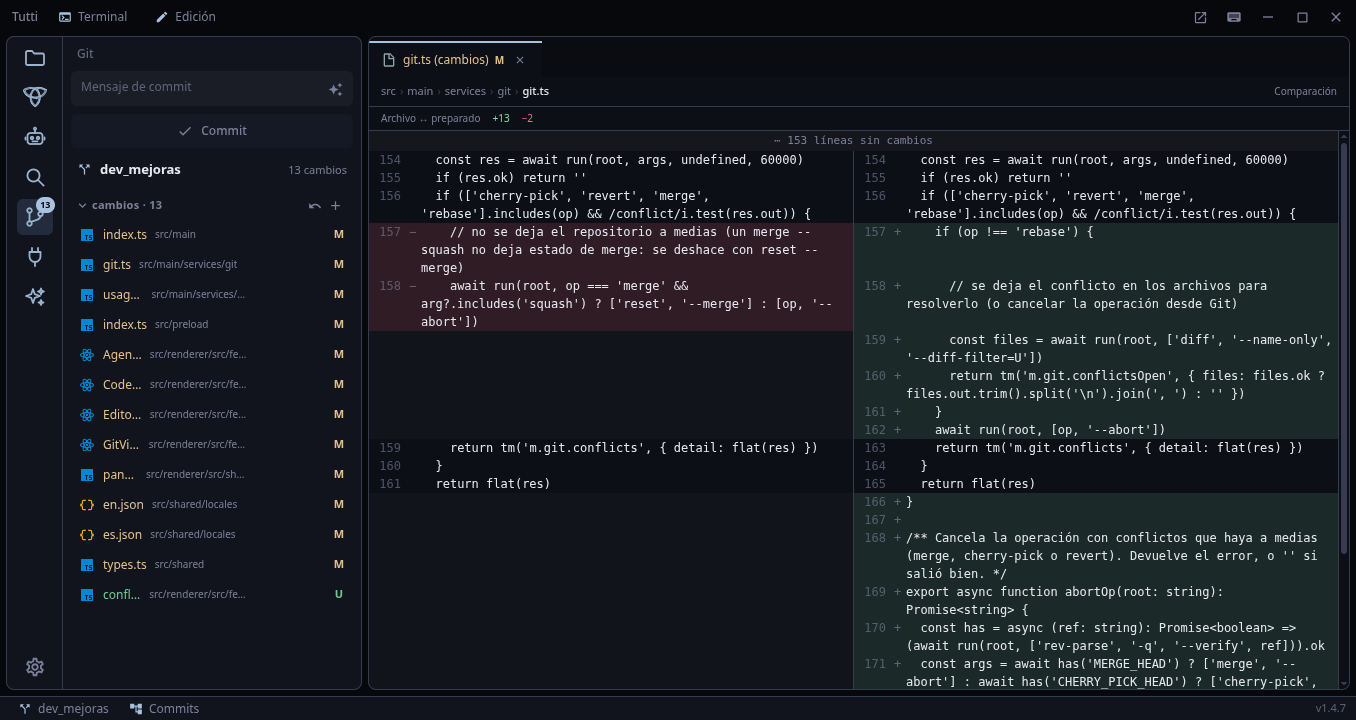
Comparing changes
A tab with the two-column comparison (before on the left, after on the right), with added and deleted lines highlighted and long unchanged stretches folded.
Commits
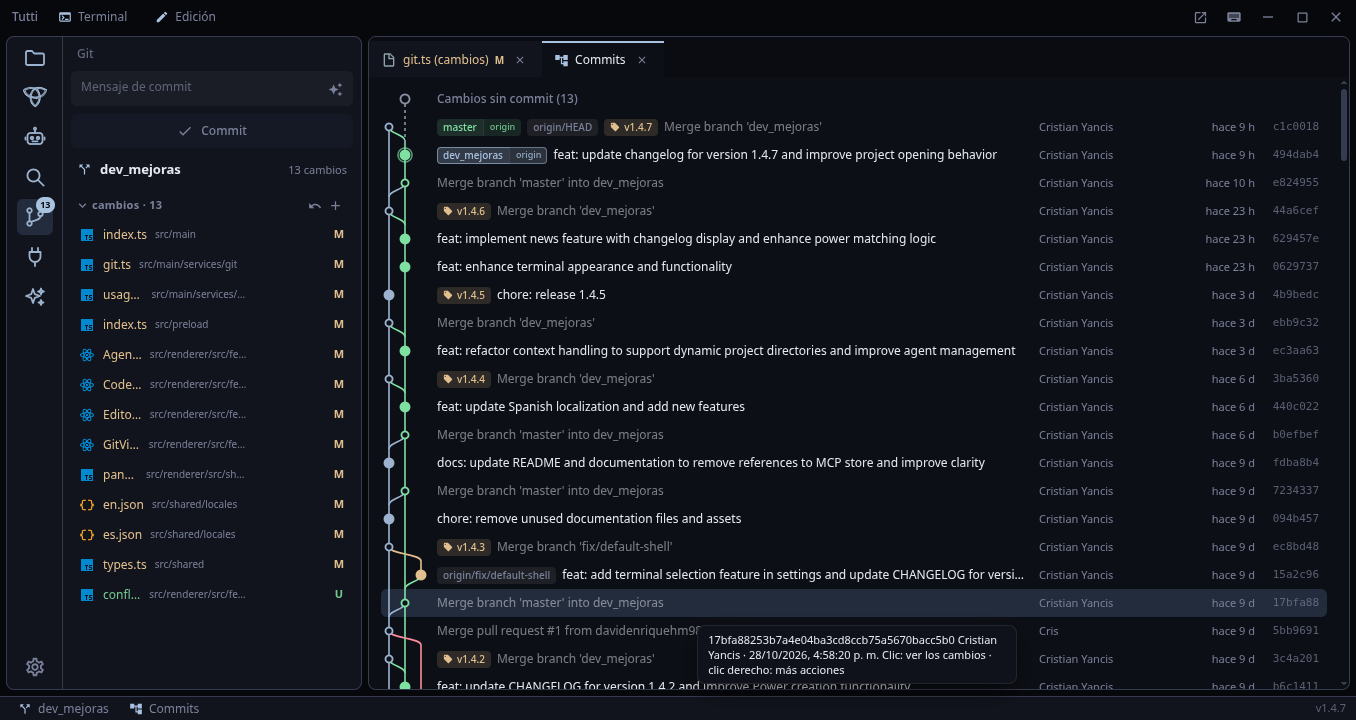
The Commits chip opens the graph of every branch, with branch, remote and tag labels, dimmed merges and an uncommitted changes row that leads to the Git section.
- Click a commit: below you get its data and the files it changed with
+N −N; for a merge, what the merged branch brought. Clicking a file opens its comparison. - Right click: tag, create branch here, switch branch, cherry-pick, revert, merge (with no-ff, squash and no commit), rebase, reset (soft, mixed or hard) and copy hash or message. Operations that change history ask for confirmation.
Resolving conflicts
If a merge, cherry-pick or revert started from the graph hits conflicts, Tutti leaves the conflicted files for you to resolve and lists them. Rebase is still cancelled automatically.
Conflicted files show a C in Git. Opening one shows a bar above each conflict block with Keep current (the HEAD version), Keep incoming, and Keep both (current followed by incoming). Each side is identified by color and name. For diff3 conflicts, the ancestor section (|||||||) is also recognized and discarded. Choosing an option replaces the block and saves the file.
Resolve every block, stage the files with +, and commit. To stop instead, use Cancel operation in Git’s red notice; it aborts the merge, cherry-pick or revert (for squash, it uses reset --merge).